Xcode 코드 실행 단축키 : shift cmd enter
//Swift
for i in 1...5{
    print(i)
}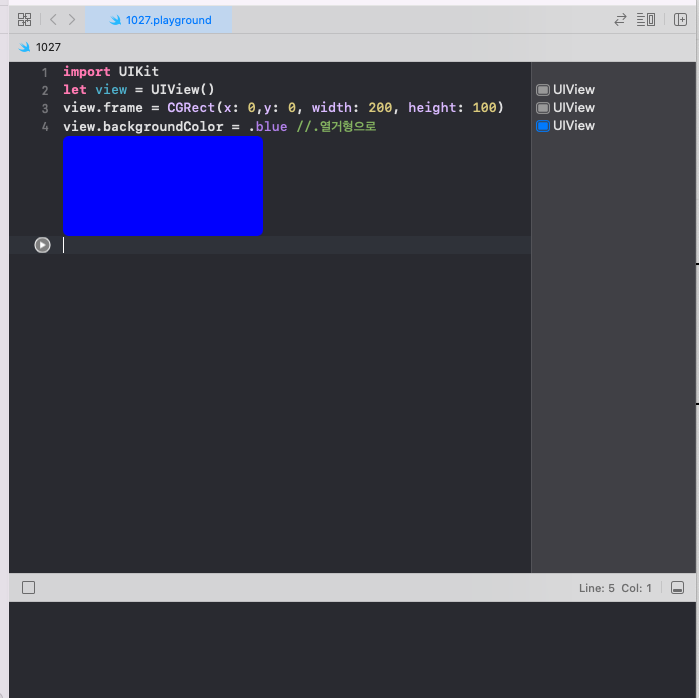
import UIKit
let view = UIView()
view.frame = CGRect(x: 0,y: 0, width: 200, height: 100)
view.backgroundColor = .blue //.열거형으로
iOS앱 개발의 핵심 기능
Label, Button, Text Field, Image View

Storyboard / SwiftUI
swift / objective-c
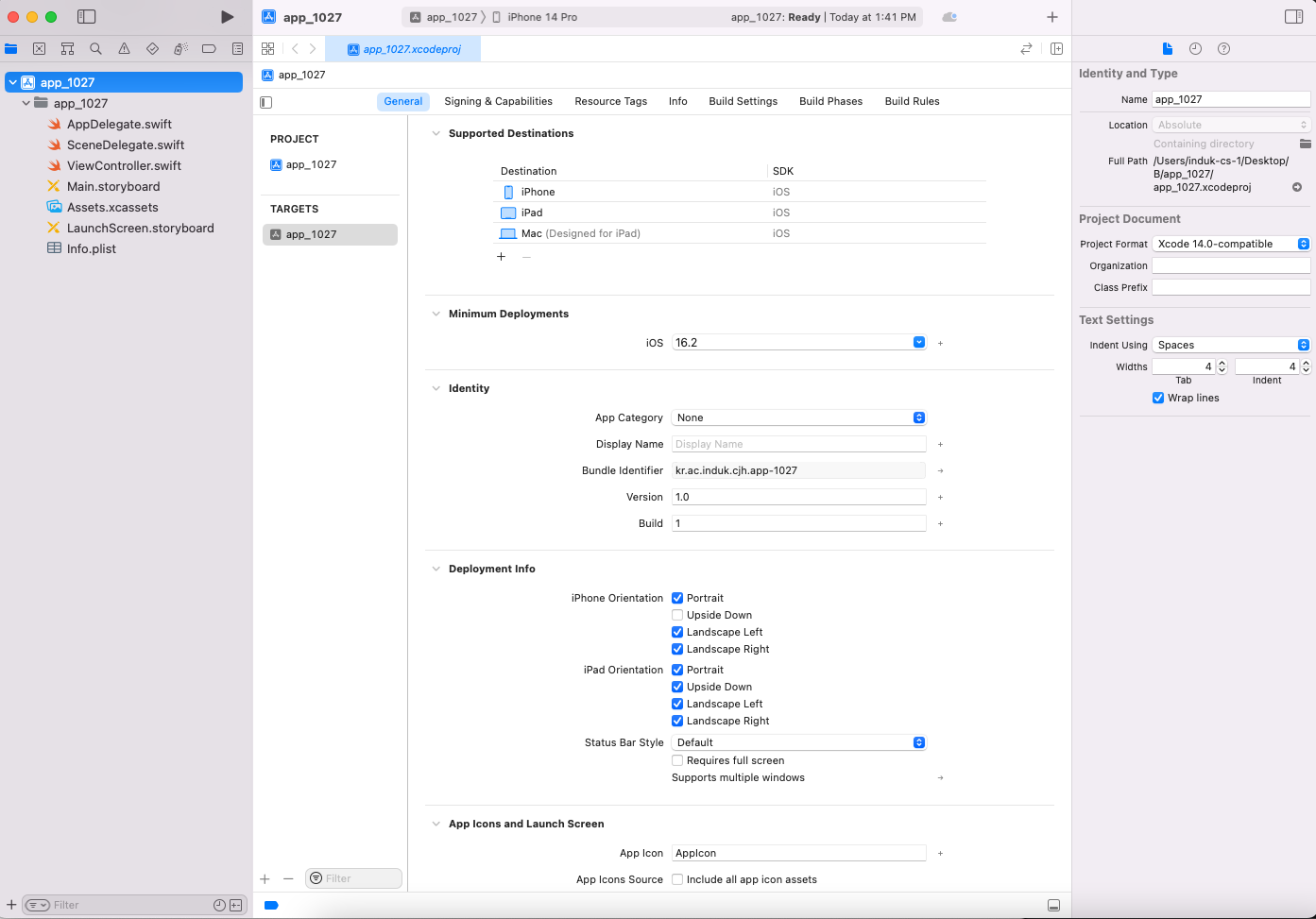
알아둘 것
*Minimum Deployments : 구동에 필요한 최소 사양
*Identify -> Bundle Identifier : 앱 식별자
기타
Deployment Info
- Upside Down : 위 아래로 뒤집히는거(안하는게 더 낫다)
- Landscape left :
- Landscape Right :
-
*기본 식별자 Null Identifier : 시험출제
view는 전체
safe area는 디자인 가능한 부분
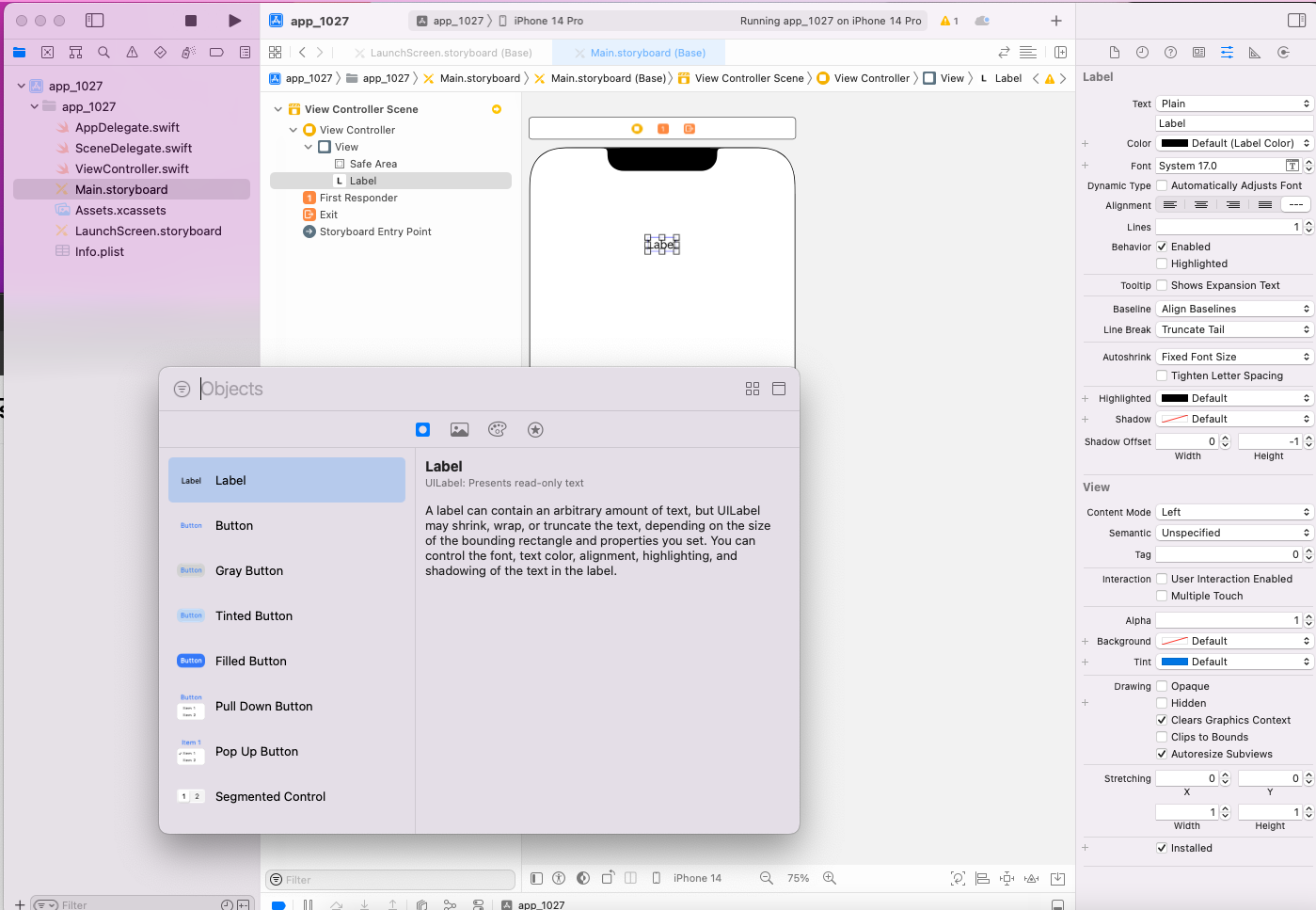
shift cmd l = 라이브러리 가져오기
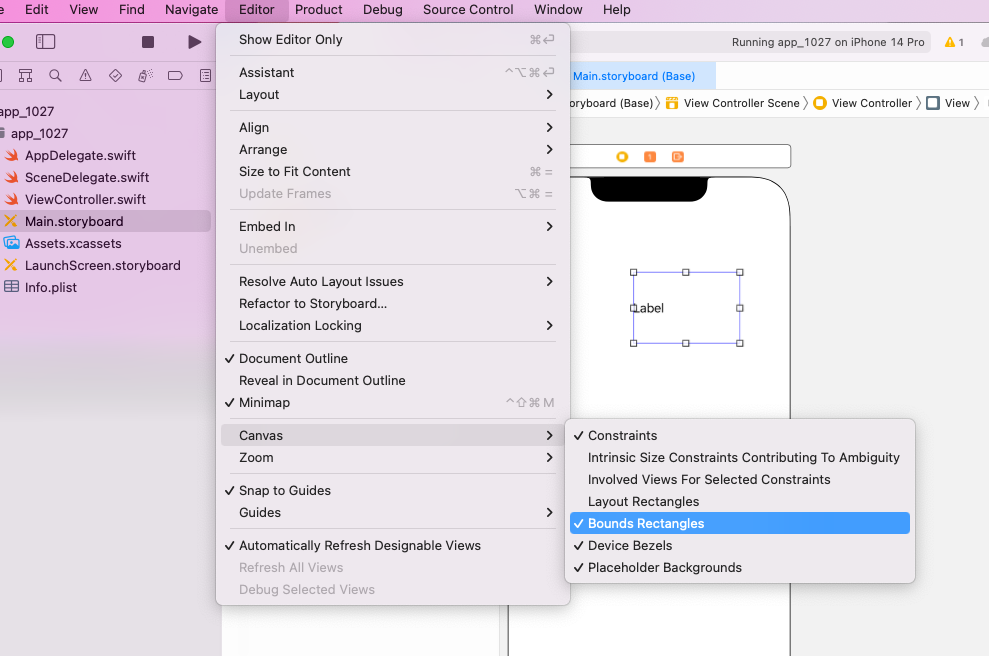
라벨의 영역을 보여주는 설정

//
//  ViewController.swift
//  app_1027
//
//  Created by Induk-cs-1 on 2025/10/27.
//

import UIKit

class ViewController: UIViewController {

    @IBOutlet weak var txtName: UITextField!
    @IBOutlet weak var lblHello: UILabel!

    @IBAction func btnSend(_ sender: UIButton) {
        lblHello.backgroundColor = .red  //버튼 클릭시 Label색 변경
        lblHello.textColor = .blue //버튼 클릭시 Label글자 색 변경
        lblHello.text = "Hello," + txtName.text! //버튼 클릭시 텍스트 변경
    }
    override func viewDidLoad() {
        super.viewDidLoad()
        // Do any additional setup after loading the view.
    }


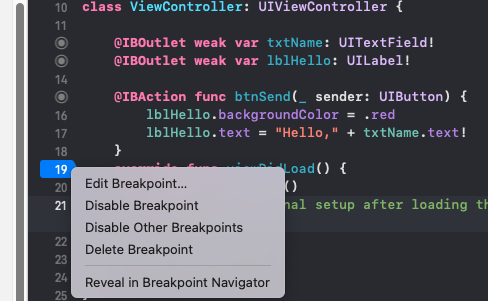
}


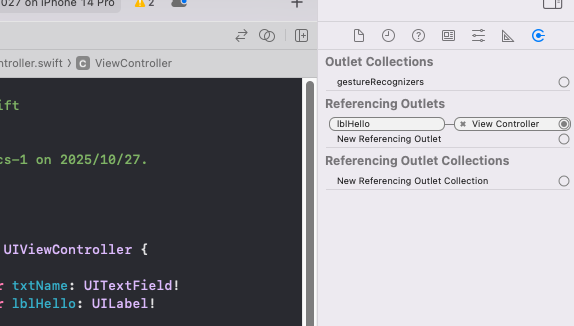
위젯들을 코드와 연결하는 방법

혹은 ctrl키를 누른 상태로 위젯을 코드 위로 드래그 앤 드롭

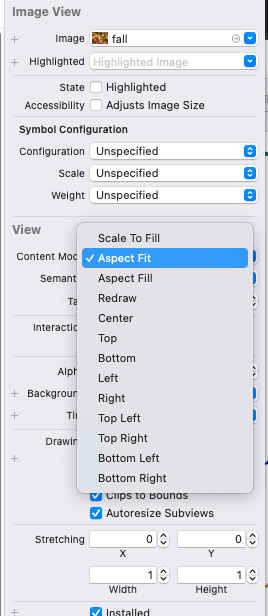
Scale To Fill : Image View크기에 맞게 가로 세로 비율 변경
Aspect Fit : 가로 세로 비율 유지하면서 Image View크기에 맞게
Aspect Fill : 가로 세로 비율 유지하면서 Image View를 채움


// 결과물
//  ViewController.swift
//  app_1027
//
//  Created by Induk-cs-1 on 2025/10/27.
//

import UIKit

class ViewController: UIViewController {

    @IBOutlet weak var txtName: UITextField!
    @IBOutlet weak var lblHello: UILabel!

    @IBAction func ini(_ sender: UIButton) {
        lblHello.text =  "안녕하신가"
        txtName.text = ""
        lblHello.backgroundColor = .blue
    }
    @IBAction func btnSend(_ sender: UIButton) {
        lblHello.backgroundColor = .red
        lblHello.text = "Hello," + txtName.text!
        //print(lblHello.text, txtName.text)
        if sender.tag == 1{
            print(sender)
        }
    }
    override func viewDidLoad() {
        super.viewDidLoad()
        // Do any additional setup after loading the view.
    }


}

//
//  ViewController.swift
//  updown3
//
//  Created by Induk-cs-1 on 2025/10/27.
//

import UIKit

class ViewController: UIViewController {
    @IBOutlet weak var lblNumber: UILabel!
    var x = 0


    @IBAction func btnDown(_ sender: UIButton) {
        x = x-1
        lblNumber.text = String(x)
    }

    @IBAction func btnUp(_ sender: UIButton) {
        x = x+1
        lblNumber.text = String(x)
    }

    override func viewDidLoad() {
        super.viewDidLoad()
        // Do any additional setup after loading the view.
    }


}'computing' 카테고리의 다른 글
| 20251103_iOS10 (0) | 2025.11.03 |
|---|---|
| 20251030_android8 (0) | 2025.10.30 |
| 20251013_iOS_7주차 (0) | 2025.10.13 |
| 20251002_android_5_layout속성 (0) | 2025.10.02 |
| (Servlet, JSP), (MVC,MVCS), (MVVM, MVP) (0) | 2025.10.01 |

